Unlock a World of Possibilities With Your First eSIM Card
Over 2 billion devices now rely on a tiny, invisible chip you can’t even touch. An eSIM card is a fully digital SIM embedded directly into your phone, so you never need to fumble with a physical plastic card again. Activating a new plan is as simple as scanning a QR code, letting you switch networks in seconds without visiting a store. This built-in flexibility makes traveling or testing carriers stress-free, because changing your service is just a few taps away.
What Actually Is an eSIM and How It Differs From a Physical SIM
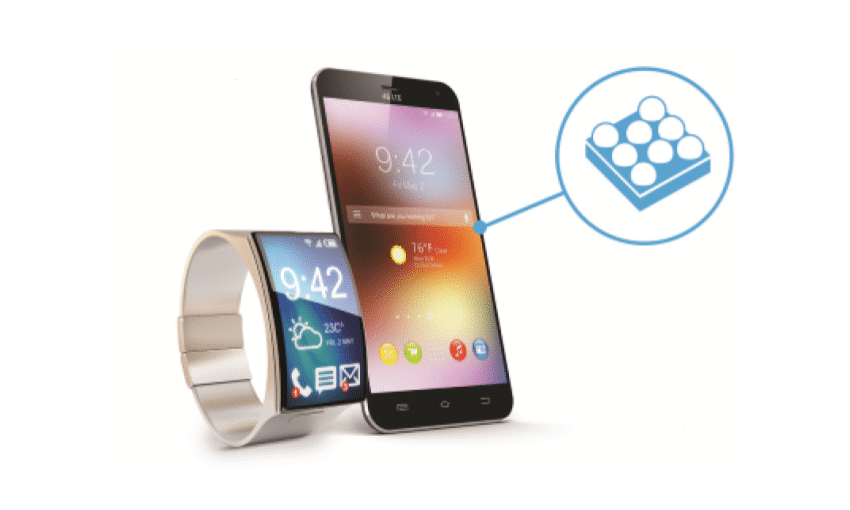
An eSIM is a permanently embedded chip inside your device, doing the same job as a physical SIM—authentication to a mobile network—but without a removable card. The key difference is flexibility: switching carriers involves scanning a QR code or installing a profile, not hunting for a tiny tray. With an eSIM, you can store multiple profiles simultaneously, switching between work and personal numbers instantly. Security also improves, as the chip can’t be lost, stolen, or damaged like a physical card. This shift makes international travel smoother, as buying and activating a local data plan takes minutes, not a trip to a store. For daily use, eSIMs reduce hardware clutter and free up space for other components.
The core technology behind embedded SIMs
The core technology behind eSIMs is a reprogrammable integrated circuit soldered directly onto a device’s motherboard. Unlike a physical SIM, which stores credentials on a removable chip, an eSIM uses a standardized Java-based operating system within a tamper-resistant secure element. This element allows a remote provisioning system—triggered via a QR code or an app—to securely write and switch multiple operator profiles onto the same chip. The rewritable memory eliminates the need for a physical slot, relying instead on the device’s baseband processor to authenticate the profile through the same cellular algorithms that validate traditional SIM cards.
Key differences: removable vs. built-in chip
The core difference is physical tangibility. A removable SIM is a plastic card you insert and swap between devices, whereas a built-in eSIM is a soldered chip you cannot touch. With a removable SIM, changing carriers requires physically finding, ejecting, and inserting a new card. With an eSIM, you simply download a new profile over the air. This distinction makes eSIM remote provisioning the key advantage, as it removes the need to handle a physical object. For dual-SIM usage, the sequence typically follows:
- A removable SIM occupies the physical tray for one line.
- The eSIM is activated via a QR code or app for the second line.
- Both lines remain active without needing a second physical card.
This eliminates the risk of losing a tiny SIM card, and swapping carriers requires only scanning a digital profile instead of waiting for a mailed courier.
Why carriers and device makers are shifting to this standard

Carriers and device makers shift to eSIM because it frees up physical space inside devices, allowing for larger batteries or thinner designs without compromising durability. This standard also reduces manufacturing complexity by removing the SIM tray and its associated waterproofing challenges. For carriers, eSIM enables users to activate a plan instantly without waiting for a plastic card to ship, slashing support costs and eliminating logistical headaches. The ability to store multiple profiles on a single chip makes switching providers seamless, which boosts customer flexibility and reduces churn. This is why the industry is converging on eSIM as the dominant standard for modern connectivity.
Top Benefits of Switching to an Embedded SIM
Switching to an embedded SIM eliminates the need for a physical plastic card, freeing up device space for better battery life or design. You can instantly switch between carriers digitally without waiting for a replacement card, which is perfect for frequent travelers. Security is enhanced since the eSIM cannot be removed or swapped if the device is stolen. A common question is: “Will I manage multiple lines easily?” Yes, because embedded SIMs store several profiles simultaneously, letting you toggle between work and personal numbers without juggling physical cards. This direct control over connectivity gives you permanent flexibility and reliability.
Instant activation without waiting for a plastic card
With an eSIM, you eliminate the physical delay entirely. Instant eSIM activation occurs the moment you scan a QR code or install a carrier profile, transforming your device into a connected tool within seconds. There is no waiting for a plastic card to ship, no trip to a store, and no fumbling with a tiny tray. You gain immediate control over your connectivity, ideal for urgent travel or starting a new plan without downtime. This process bypasses logistical bottlenecks, putting service at your fingertips exactly when you need it.
Managing multiple plans on a single device
Managing multiple plans on a single device transforms how you handle connectivity. An eSIM lets you store several carrier profiles simultaneously, meaning you can switch between a work line and a personal number without swapping physical cards. This is ideal for separating business calls from family texts on one phone. Travelers can keep their home plan active while adding a local data eSIM for the destination. The key benefit is instant plan switching from device settings, done in seconds. You avoid carrying a second phone or juggling tiny nano-SIMs, giving you complete control over your connectivity mix.
- Store and toggle between personal and work plans on the same device
- Add a local data plan while keeping your primary number active for roaming
- Switch between plans via a simple menu, with no need to eject a tray
Environmental advantages: cutting down on plastic waste
Switching to an eSIM directly tackles plastic waste by eliminating the physical plastic card and its packaging. Every traditional SIM comes with a disposable tray and a piece of plastic that heads straight to a landfill. With an eSIM, you skip that entire manufacturing and disposal cycle. This shift is a simple, daily way to practice reducing plastic waste from mobile usage. Every new plan you add is just a digital download, not another non-biodegradable item in your drawer or a bin. Does a single eSIM really make a difference against global plastic pollution? Absolutely—when millions of users switch, the cumulative reduction in plastic cards and packaging is massive.
Devices That Support This Technology
Devices supporting eSIM technology include most flagship smartphones from the past four years, such as the latest iPhone and Google Pixel models, as well as select Samsung Galaxy S and Z series. Many modern smartwatches, like the Apple Watch with cellular, and some high-end tablets also feature embedded SIMs. To check compatibility, go to Settings > Cellular on an iPhone or Settings > Connections > SIM Manager on Android. Does my device need a physical SIM slot to support eSIM? No, certain eSIM-only devices like the iPhone 14 in the US lack a physical tray altogether. Always verify model-specific support via your carrier’s compatibility checker before purchasing.
Latest smartphones and tablets with integrated support
Most flagship smartphones and tablets released from 2023 onward now feature integrated eSIM support as a standard capability. Apple’s iPhone 15 series and recent iPad Pro models allow multiple eSIM profiles active simultaneously, while Samsung’s Galaxy S24 and Tab S9 series offer dual SIM functionality with one physical nano-SIM and one eSIM. Google’s Pixel 8 and Pixel Tablet also provide native eSIM management through the device settings. To activate an eSIM on these devices, users typically follow this sequence:
- Obtain a QR code or activation code from a mobile carrier.
- Navigate to Settings > Cellular or Mobile Data and select “Add eSIM.”
- Scan the QR code or manually enter the activation details to download the profile.
This built-in capability eliminates the need for a physical SIM tray, allowing users to switch carriers or add plans without swapping cards. Devices like the Motorola Edge 40 and OnePlus 12 also include integrated eSIM support for seamless dual-line management.
Wearables, laptops, and IoT gadgets that rely on it
Wearables, laptops, and IoT gadgets that rely on integrated eSIM connectivity gain a permanent, zero-footprint data link. A smartwatch streams music independently from your phone, while a thin ultrabook activates a cellular plan without a physical slot or dongle. For IoT, an agricultural sensor deep in a field connects without a vulnerable SIM tray. This allows users to manage or switch carrier profiles remotely via a simple software interface, eliminating the need to physically swap cards when traveling or changing providers for a device.
| Device Type | Key eSIM Advantage |
|---|---|
| Wearables | Always-on, standalone connectivity for calls and data without a phone. |
| Laptops | Seamless mobile broadband activation without a physical SIM slot. |
| IoT Gadgets | Durable, sealed designs with remote profile switching for global deployment. |
How to check if your current device is compatible
To verify device compatibility, first dial #06#—if you see a permanent EID number, your hardware supports eSIM. Next, navigate to Settings > Cellular or Mobile Data, and check for an “Add eSIM” or “Convert to eSIM” option, as this menu indicator is the most reliable software-level verification. Finally, cross-reference your model number on the manufacturer’s official support list, as carrier-branded devices may have restricted eSIM functionality despite hardware support.
Check for an EID via *#06#, look for “Add eSIM” in settings, and confirm model approval on the maker’s site.
How to Get Started With a Digital Profile
To get started with a digital profile for an eSIM, first ensure your device is unlocked and supports eSIM technology. Next, choose a provider and purchase a data plan, which will deliver a QR code or installation code via email or app. Open your phone’s settings, navigate to “Cellular” or “Mobile Data,” and select “Add eSIM.” Scan the QR code or enter the details manually to download the profile. Activate the line immediately to avoid expiration, then label it (e.g., “Travel”) for easy management. Finally, set your new eSIM as the primary or secondary data line to start using the digital profile right away.
Where to purchase a data plan online
For immediate activation, purchase your eSIM data plan directly from a mobile network operator’s official website or app, such as T-Mobile or Vodafone. Alternatively, use a third-party eSIM marketplace like Airalo or Holafly, which aggregate global plans for travelers. On these platforms, simply select your destination, compare data allowances, and complete checkout via credit card or PayPal. You will receive a QR code or activation code instantly via email to install on your device. Purchasing from a reputable marketplace ensures transparent pricing without hidden roaming fees.
Where is the most reliable place to purchase an eSIM data plan online? The most reliable source is the network operator’s own website for a single country, or a trusted aggregator like Airalo for multi-destination coverage, as both provide immediate digital delivery.
Step-by-step activation via QR code or app
Activating an eSIM begins after you purchase a plan. Your provider will supply a unique QR code, typically via email or in your account dashboard. Open your phone’s Settings, navigate to Mobile Data or Cellular, and select “Add Cellular Plan.” Scan the QR code with your device’s camera. The profile will download and install automatically. For app-based activation, open your provider’s official app, log in, and choose the plan. Tap “Install eSIM” when prompted. The app handles configuration, often requiring a few confirmation taps. Immediate connectivity follows once the profile is active.
- Navigate to Settings > Mobile Data > Add Cellular Plan to scan your QR code.
- Use your provider’s app to tap “Install eSIM” for automated setup.
- Wait for the “Profile Installed” confirmation before using data.
- Delete a previous eSIM profile if prompted by the activation wizard.
Transferring your existing number to a virtual card
To transfer your existing number to a virtual card, you first ensure your current carrier permits number porting; this is typically initiated through the eSIM provider’s app. You must not cancel your old plan beforehand, as that disconnects the number. Instead, request a porting code or account details from your current carrier, then input these into the eSIM platform. The transfer often completes within minutes, during which your physical SIM deactivates. This process is crucial for preserving your identity, UK eSIM and the new eSIM profile automatically adopts your old number. Porting your number requires verifying ownership via a temporary code sent to your old device.
Transferring your existing number involves porting it from your current carrier to the eSIM profile, requiring a porting code and avoiding cancellation of your old service before activation completes.
Traveling Abroad: Why This Solution is a Game-Changer
Forget hunting for local SIMs or paying sky-high roaming fees. An eSIM is a game-changer because you can buy and activate a regional data plan while you’re still packing your bags. That means instant connectivity when you land—no airport kiosks, no tiny SIM trays, just a QR code. You keep your home number for banking texts, but run your maps and ride-share on a cheap local network. If your travel plans shift, you can swap providers on the fly without hunting a new physical card. It’s the difference between fumbling with hotel Wi-Fi passwords and having seamless travel connectivity from the moment you step off the plane.
Avoiding expensive roaming fees with local plans
For international travelers, local eSIM plans eliminate the shock of roaming fees by connecting you directly to a regional carrier at local rates. Instead of paying your home provider’s daily surcharge—often $10–$20—you purchase a data package for a fraction of that cost. Activation takes minutes through an app; no physical SIM swap or store visit required. You keep your primary number active for calls using Wi-Fi, while the eSIM handles data seamlessly.
Q: How do I avoid surprise data charges when switching to a local eSIM plan? A: Turn off cellular data on your primary line under settings, then enable data roaming only on your eSIM. This ensures all data traffic routes through the local plan, so your home carrier never bills you for accidental usage.
Switching networks instantly while crossing borders
Crossing a land border no longer requires fumbling with physical SIM swaps. With an eSIM, your device automatically scans for available local networks moments after you pass the checkpoint, executing a handoff within seconds. This eliminates the dead zone between coverage areas where roaming from the previous country would drop. Your phone remains connected for navigation, messaging, and app usage without manual intervention. The instant network selection is driven by eSIM profiles that prioritize local carriers for optimal latency and cost. This seamless continuity is particularly critical while driving, where a connectivity gap could disrupt real-time routing. Switching networks instantly while crossing borders ensures the user experience remains fluid, with no interruption to data-dependent tasks like maps or ride-hailing apps.
| Physical SIM | eSIM |
|---|---|
| Requires manual removal or swapping to change provider at border | Automatically connects to preferred local network via pre-loaded profile |
| Typically incurs a 1-5 minute gap while searching for new signal | Completes switch within seconds of crossing the boundary |
Keeping your primary line active while using a secondary data plan
Keeping your primary line active while using a secondary data plan means your home number remains reachable for vital calls and SMS, such as banking codes or emergency contacts, without paying exorbitant roaming fees. By installing a secondary eSIM data plan, you route all internet traffic through the local network while your primary SIM stays on for essential line accessibility. You can disable data roaming on the primary line to avoid charges, but keep it active for voice and text. This dual-SIM setup ensures you never miss a critical notification while benefiting from affordable local data.
Keeping your primary line active while using a secondary data plan enables you to receive calls and SMS on your home number via eSIM, while avoiding roaming data fees by using a local data plan for internet access.
Security and Privacy Considerations
An eSIM card enhances security and privacy considerations by reducing physical theft risk, as the embedded chip cannot be removed like a plastic SIM. However, its remote provisioning model demands stringent device-side security. A compromised device could allow attackers to reprogram the eSIM profile, potentially cloning your identity or intercepting two-factor authentication codes. Users must protect their device lock screen and biometrics, as these are the first line of defense. Furthermore, remote profile management means you control deactivation if a phone is lost, but you should immediately delete eSIM data from a repurposed device to prevent residual profile access by malicious parties.
Reduced risk of losing or damaging a physical chip
By eliminating the need for a removable physical SIM card, eSIM technology inherently reduces the risk of losing or damaging a chip. A physical SIM can be easily dislodged, lost during a device swap, or suffer bent pins and cracked circuits from repeated handling. With an eSIM permanently embedded in the phone’s motherboard, there is no removable component to misplace. The sequence of benefits is clear:
- No tiny card to drop, break, or lose when switching devices.
- No fragile SIM slot to wear out or suffer moisture damage.
- Physical theft of the chip for identity cloning becomes impossible.
This permanent integration ensures your mobile identity remains safe from physical mishandling.
Remote locking and wiping capabilities
Remote locking and wiping are game-changers for eSIM security. If your phone is lost or stolen, you can instantly lock the eSIM profile, stopping anyone from using your mobile data or calls. For total peace of mind, a remote wipe completely erases the eSIM’s configuration, making it impossible to reactivate. This is far more convenient than dealing with a physical SIM that needs a carrier visit. Remote eSIM disabling protects your personal accounts and linked services from theft.
Q: Can I still lock my eSIM if the phone is offline?
A: The lock or wipe command is sent over the network, so it only works if the phone briefly connects to cellular or Wi-Fi, which often happens automatically during a theft scenario.
How encryption protects your network credentials
When you activate an eSIM, your network credentials—including the unique authentication key and subscriber identity—are encrypted before being stored on the embedded chip. This protects your network credentials by ensuring that even if your device is compromised, the encrypted data remains unreadable without the proper decryption keys. During network authentication, the eSIM uses cryptographic handshakes that never transmit your raw credentials over the air, substituting them with encrypted session tokens. This prevents eavesdroppers or malicious apps from intercepting your identity, as only the mobile network operator possesses the means to decode the initial provisioning data.
Encryption ensures your eSIM authentication key and subscriber identity are stored in an unreadable format and never transmitted in plain text, blocking credential theft during activation and network access.
Potential Drawbacks and Limitations
The primary drawback of an eSIM is the loss of physical access; you cannot simply swap the SIM card into another device if your phone breaks or runs out of battery. Activation relies entirely on a stable internet connection, making setup problematic in areas with poor reception or after a factory reset without Wi-Fi. Device compatibility is also a major limitation, as many older phones and most current laptops lack eSIM support. Furthermore, switching carriers is often slower than with a physical SIM, requiring a QR code or manual profile download instead of a quick physical swap. Managing multiple eSIM profiles can be cumbersome, and if you lose your phone, recovering the profiles on a new device is more complex than simply transferring a physical card.
Carrier restrictions and locked devices
Carrier restrictions and locked devices directly undermine eSIM benefits. Many providers lock eSIM profiles to their network, preventing you from switching carriers remotely while traveling. A phone locked to a specific carrier will reject a competitive eSIM plan, forcing you to use expensive local data. This limitation negates eSIM convenience, as unlocking demands fees or contract completion. Always verify your device’s unlock status before purchasing an eSIM.
- Your eSIM won’t activate on a carrier-locked phone unless you use that same carrier’s plan.
- Unlocking a device often requires contacting the original carrier, a process that can take days.
- Some carriers restrict eSIM transfer between devices, locking the profile to one IMEI permanently.
Challenges when switching phones frequently
Frequent phone switching introduces specific hurdles with eSIMs. Unlike physical SIMs that transfer instantly, each eSIM profile often requires a manual re-download from the carrier, which can be blocked if the previous phone is still active or if the carrier enforces a re-issuance fee. This creates a significant barrier to seamless device swaps. Furthermore, users must meticulously track multiple QR codes or activation links for different networks, as these can expire or become tied to a specific device’s IMEI.
- Carrier-imposed limits on how many times a single eSIM can be re-downloaded.
- Loss of network connectivity for crucial hours if the eSIM transfer requires carrier support intervention.
- Incompatibility where an eSIM downloaded for one device fails to activate on a different manufacturer’s model.
- Requirement to fully delete an eSIM from the old phone before the new phone can activate the same profile.
Limited support in some regions or older networks
While eSIM technology offers convenience, its adoption faces a critical hurdle: inconsistent regional and network compatibility. In many countries, particularly in parts of Africa, South America, and rural Asia, local mobile carriers have not yet activated eSIM provisioning systems, forcing travelers to revert to physical SIMs. Additionally, older network infrastructure—such as 3G or early 4G towers—often lacks the necessary software updates to recognize an eSIM profile, rendering the feature unusable on legacy devices. This fragmentation means users cannot rely on an eSIM as a universal solution for connectivity, especially when visiting remote areas or using budget-friendly, older smartphones.
Limited support manifests as a patchwork of regional gaps and outdated networks, preventing seamless eSIM activation where modern infrastructure is absent.
Future Trends What Comes Next
The next leap for eSIM will be embedded autonomous profiles. Imagine your phone automatically downloading a local Japanese eSIM the moment your plane lands in Tokyo, without any app or QR code. Your device will pre-negotiate the best local carrier based on your past habits, like your preference for high-speed data over call minutes. This shifts connectivity from a manual setup to a seamless background service, letting you focus on navigating Shinjuku rather than fiddling with settings. Real-time network switching will become invisible, as your profile predicts weak coverage zones and proactively hops to a stronger tower before your video call stutters.
Integration with 5G standalone networks
Integration with 5G standalone networks transforms the eSIM into a direct gateway to ultra-low latency and network slicing. Your device automatically negotiates a dedicated slice for critical tasks like remote surgery or real-time gaming, bypassing legacy LTE cores. The eSIM profiles load native 5G core authentication, enabling faster attach times and seamless handovers between standalone cells. This erases the step of manually configuring APN settings for different network slices. The sequence is:
- eSIM downloads a profile with native 5G SA credentials
- Device registers directly with the 5G core, not via 4G fallback
- Network assigns a tailored slice for your application
Smart home and vehicle connectivity via virtual profiles
The eSIM enables a single virtual profile to seamlessly manage connectivity across both a smart home and a connected vehicle. This unified profile allows a thermostat and an electric car, for example, to share the same data plan, automatically switching between home Wi-Fi and cellular networks. User-centric provisioning lets you download this profile to multiple devices, ensuring your vehicle’s navigation updates and home security stream alerts without separate SIMs. A key utility is continuity: as you leave the house, the session hands off to the car. Q: How does the eSIM handle simultaneous data use in both environments? A: The virtual profile prioritizes the active device, pausing background tasks on the other, so the vehicle’s map remains responsive while the home camera archives footage locally. This intelligent allocation prevents billing surprises.
Potential for universal, carrier-agnostic subscriptions
The core promise of universal, carrier-agnostic subscriptions lies in a single eSIM profile that brokers connectivity across any available network. This would function as a subscription to connectivity itself, not to a specific provider, automatically scanning for and switching to the strongest, most cost-effective local carrier as you travel or move. A user would purchase a data or voice plan from a global orchestrator, not an MNO, with the eSIM handling the technical handoff invisibly. The practical outcome is eliminating the need to manage multiple eSIM profiles or shop for local plans, as the carrier-agnostic subscription dynamically assigns the underlying network. This shifts user focus from choosing a carrier to purely expecting consistent, seamless service.

